MineTexture Open Editor

Features

Everything below is in the editor today and ends up in the exported pack.

18 painting tools
Pencil, eraser, fill, picker, line, rectangle, ellipse, curve, gradient, text, shade, dither brush, colour replace, blur, noise, jumble, selection, symmetry.
Layers & history
Six blend modes, per-layer opacity, and a history list you can jump back through.
Animation
Frames, per-frame timing, interpolation, onion skin, painting on every frame at once.
Blocks
Per-face textures, weighted texture variation, one-click generated variants, a wall preview.
3D models
Box-based model editor with move and resize gizmos, UVs and texture slots. Start from vanilla or extrude a texture.
Item texture rules
A different texture in hand, in the inventory or item frame, by item name, by wear, or while a key is held.
Item poses
Rotation, position and scale for every hand, the inventory, the ground and frames.
Sounds
Play vanilla sounds, upload or record replacements, trim, set gain; encoded to Ogg Vorbis.
Text
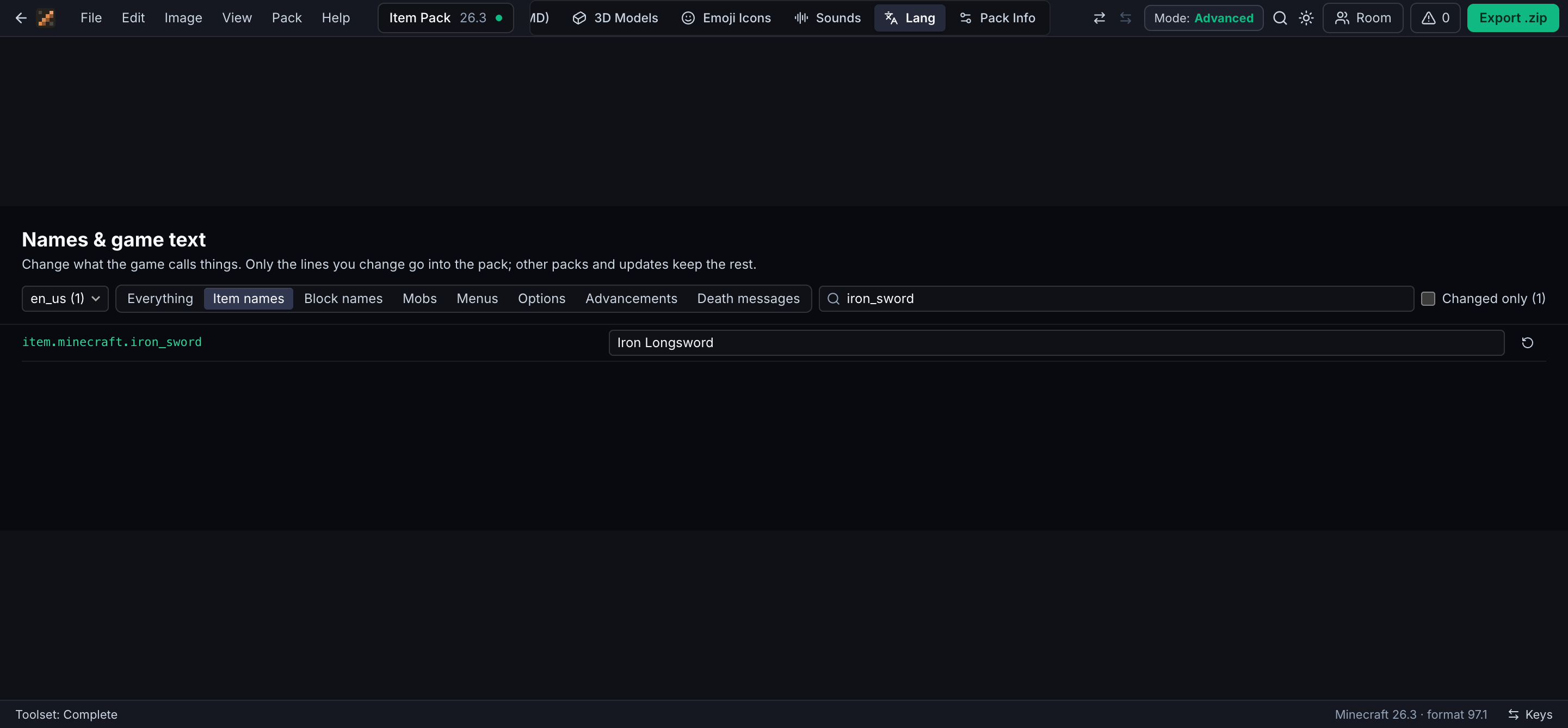
Rename items, blocks and mobs in any language, and edit the title-screen splashes.
Rooms
Share an 8-character code; everyone in the room edits the same pack and sees each other’s cursors.
Checks
Problem list before export, side-by-side review against vanilla, colour-vision previews.
Pack tools
Open existing packs, combine two packs, batch recolour, Scale2x upscaling, multi-version ranges.

Painting tools

Shade lightens and darkens with a slight hue shift, the way hand-shaded textures are made. The dither brush lays 25, 50 or 75% patterns. Colour replace keeps shading when you turn a diamond tool into a ruby one.

Hold \ to flip to vanilla, turn on the 3×3 tile preview to catch seams, and pick colours straight from a reference image.
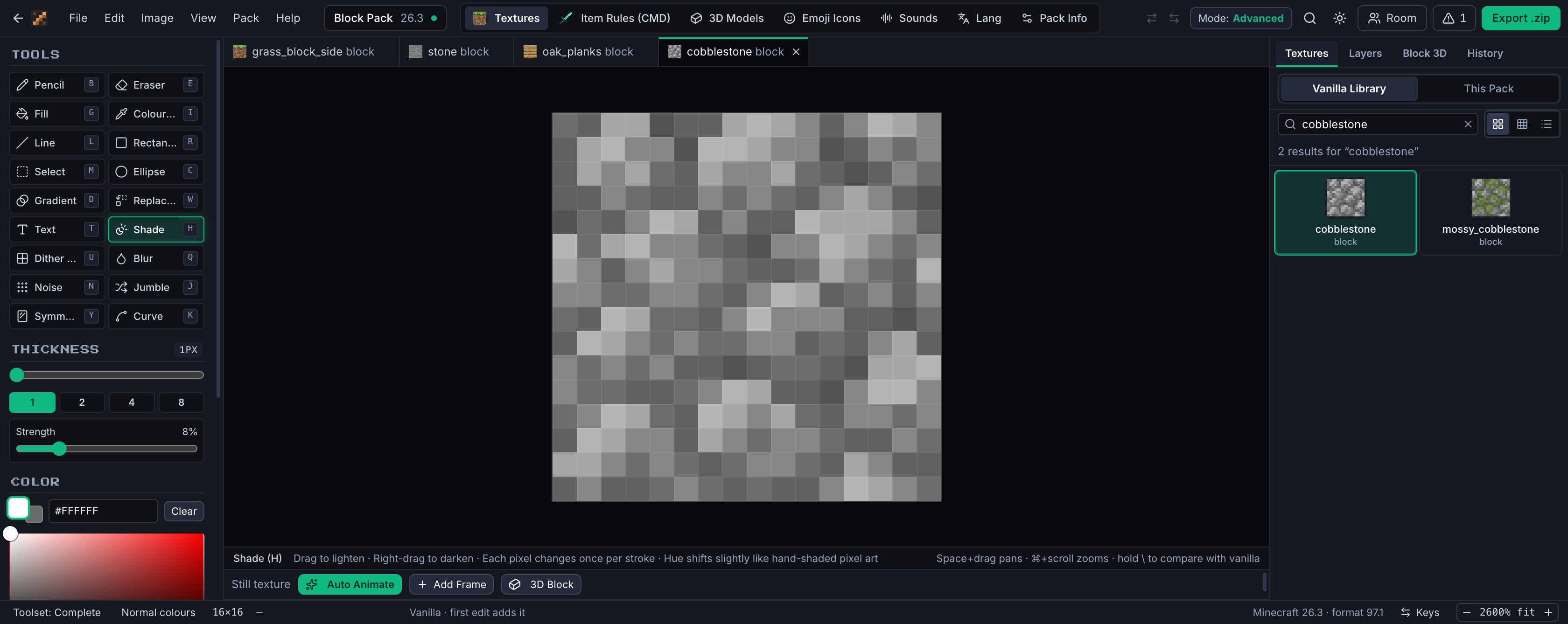
Cobblestone open in the editor with the Shade tool selected in the horizontal tool strip.

Block textures

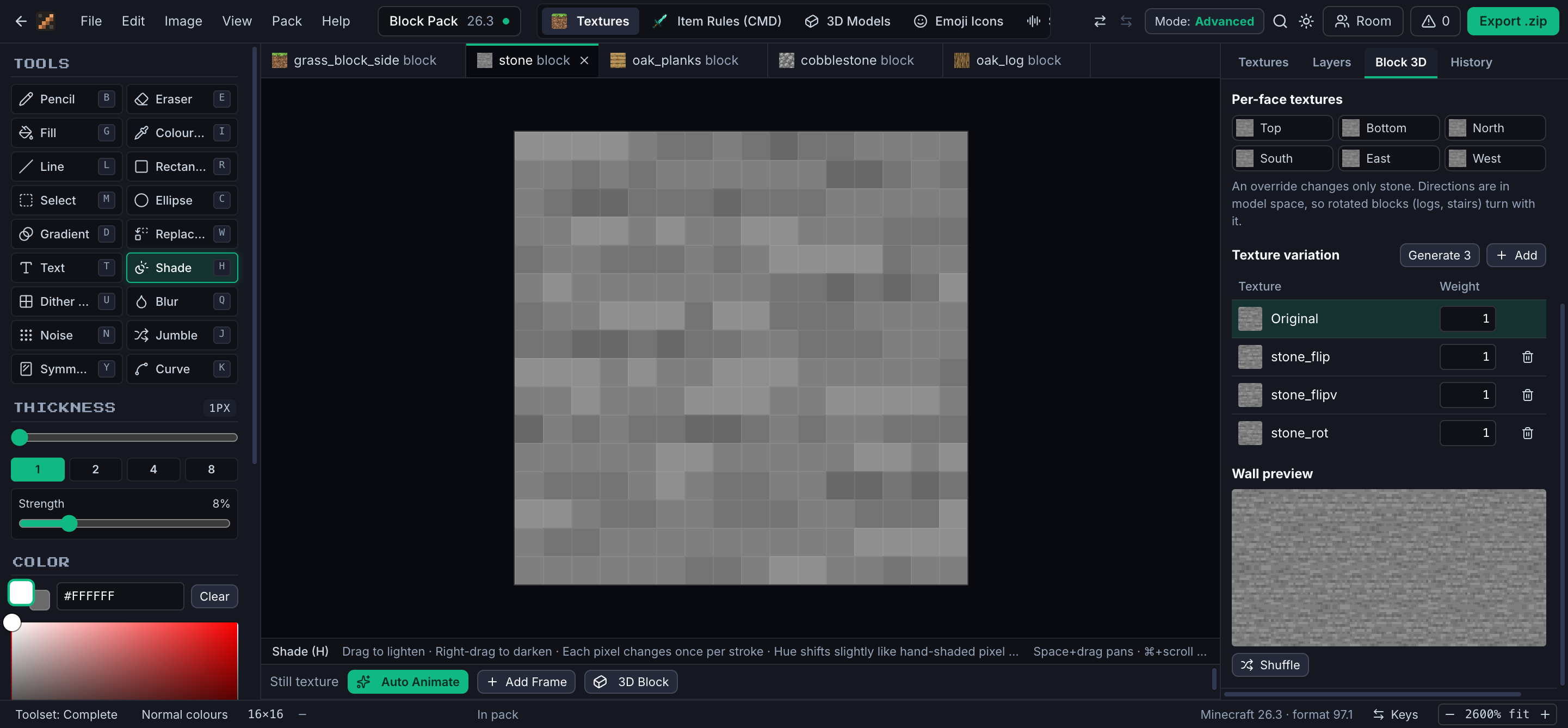
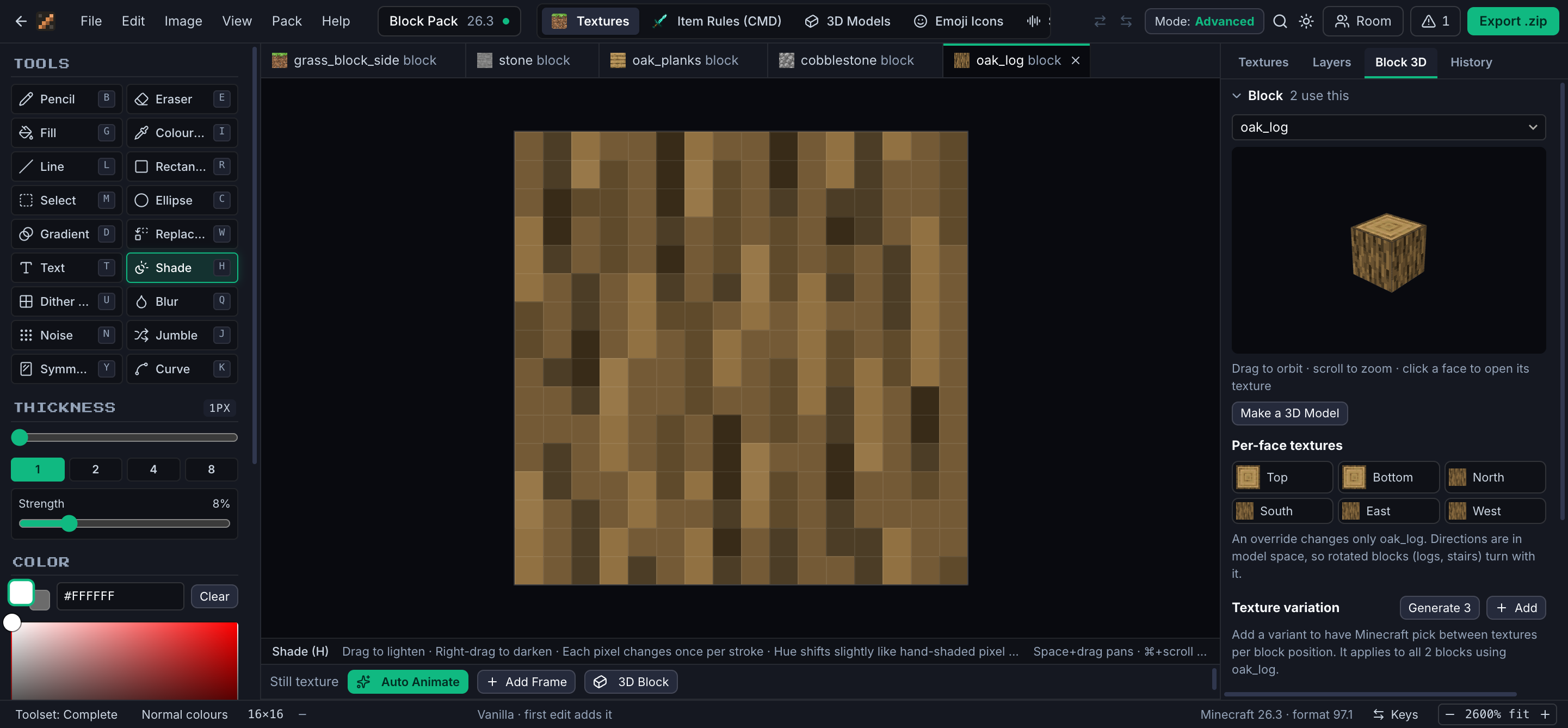
The Block tab shows the real model in 3D with your textures, including stairs, fences and plants. Give one block its own top or side, or add variation: Minecraft picks a texture per position, weighted how you like.

The Block inspector: a 3D oak log, per-face texture buttons, and texture variation controls. Stone with three generated variants, their weights, and a wall preview mixing them.

Items that change texture

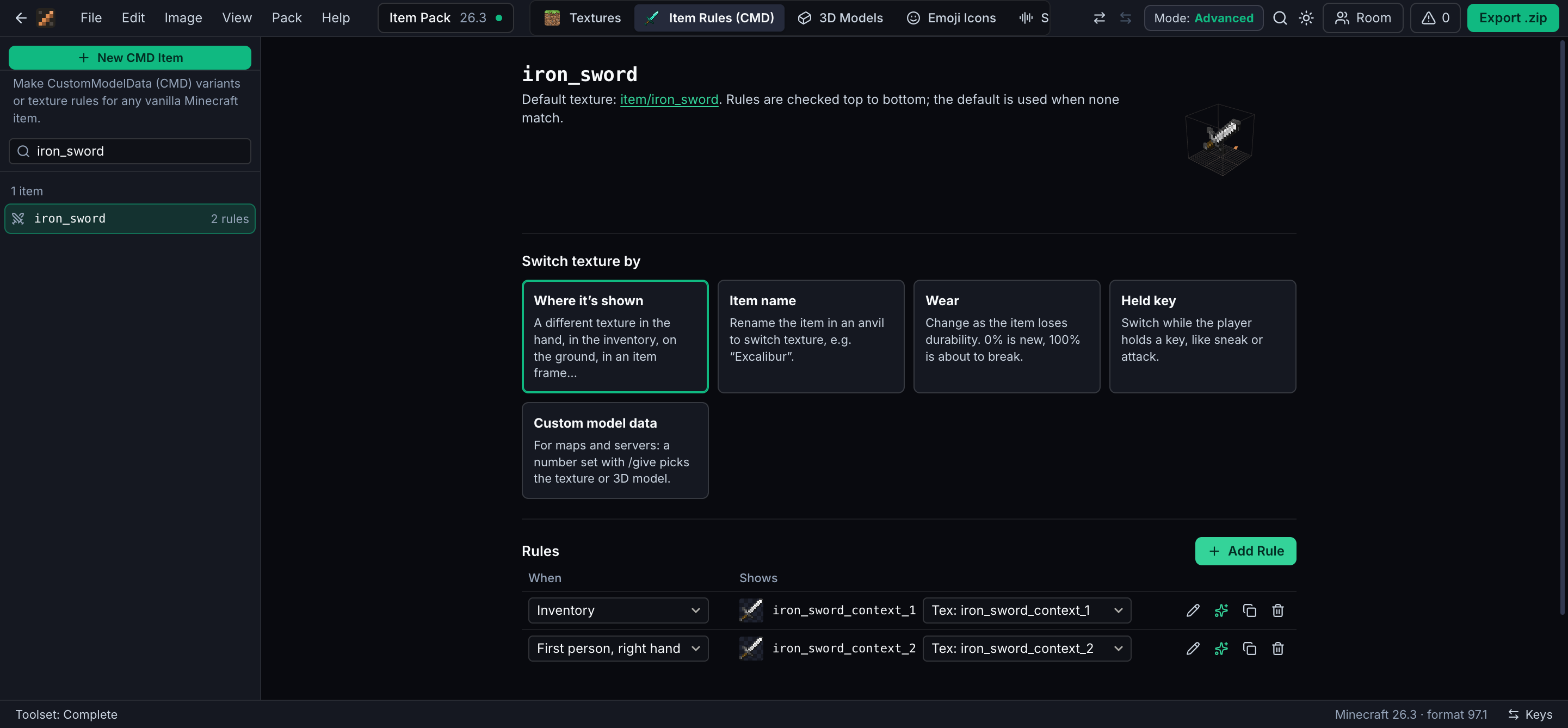
Show a detailed sprite in the hand and a simple icon in the inventory. Switch when the item is renamed in an anvil, as it wears down, or while the player sneaks. Each rule gets its own texture to paint.

Uses the item model definitions added in Minecraft 1.21.4; matching by name needs 1.21.5.

Item texture rules for the iron sword: rule types, and two rules for the inventory and first-person right hand.

Animation

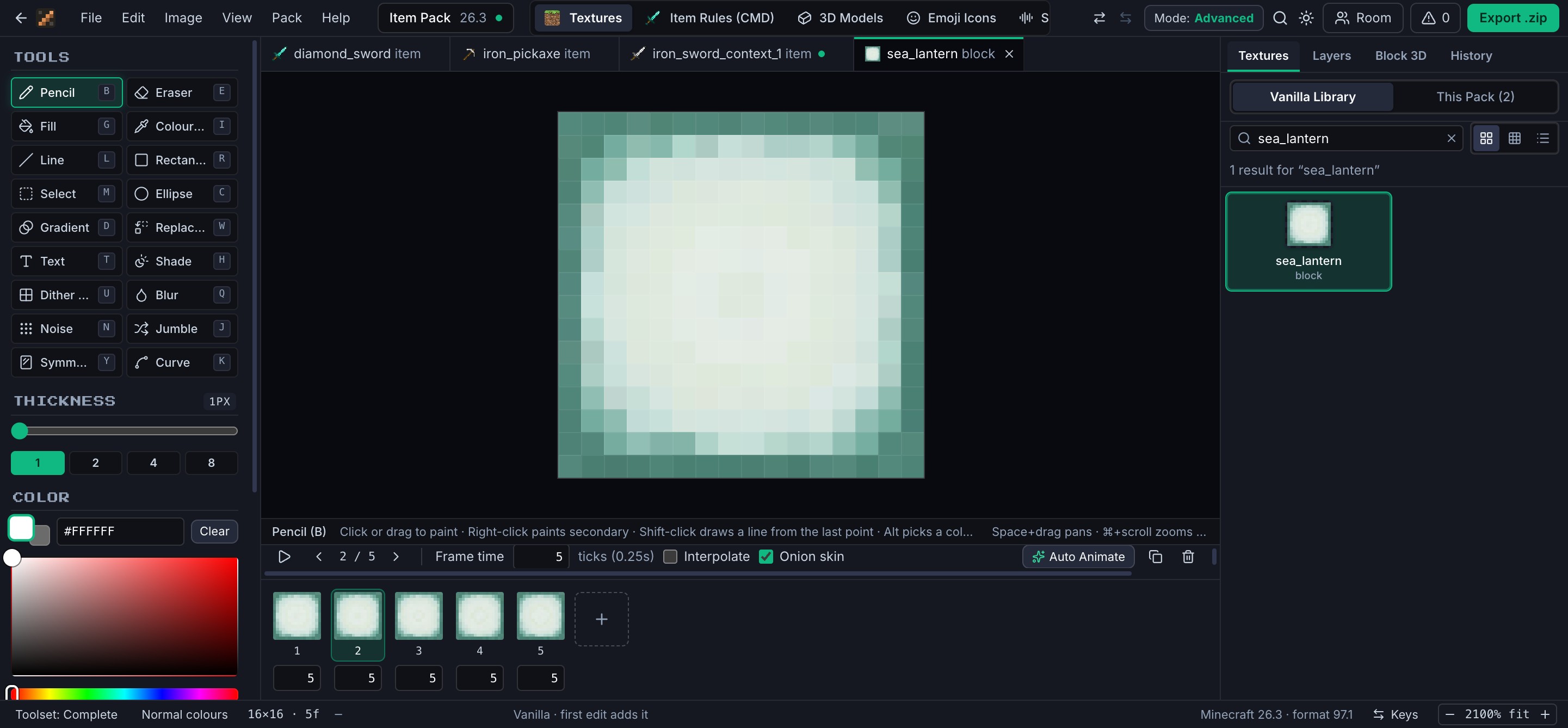
Frames with their own timing, interpolation, onion skin and playback at game speed. Turn on “All frames” to fix something once across the whole animation.

The sea lantern animation with the frame strip, frame time and onion skin controls.

Sounds and text

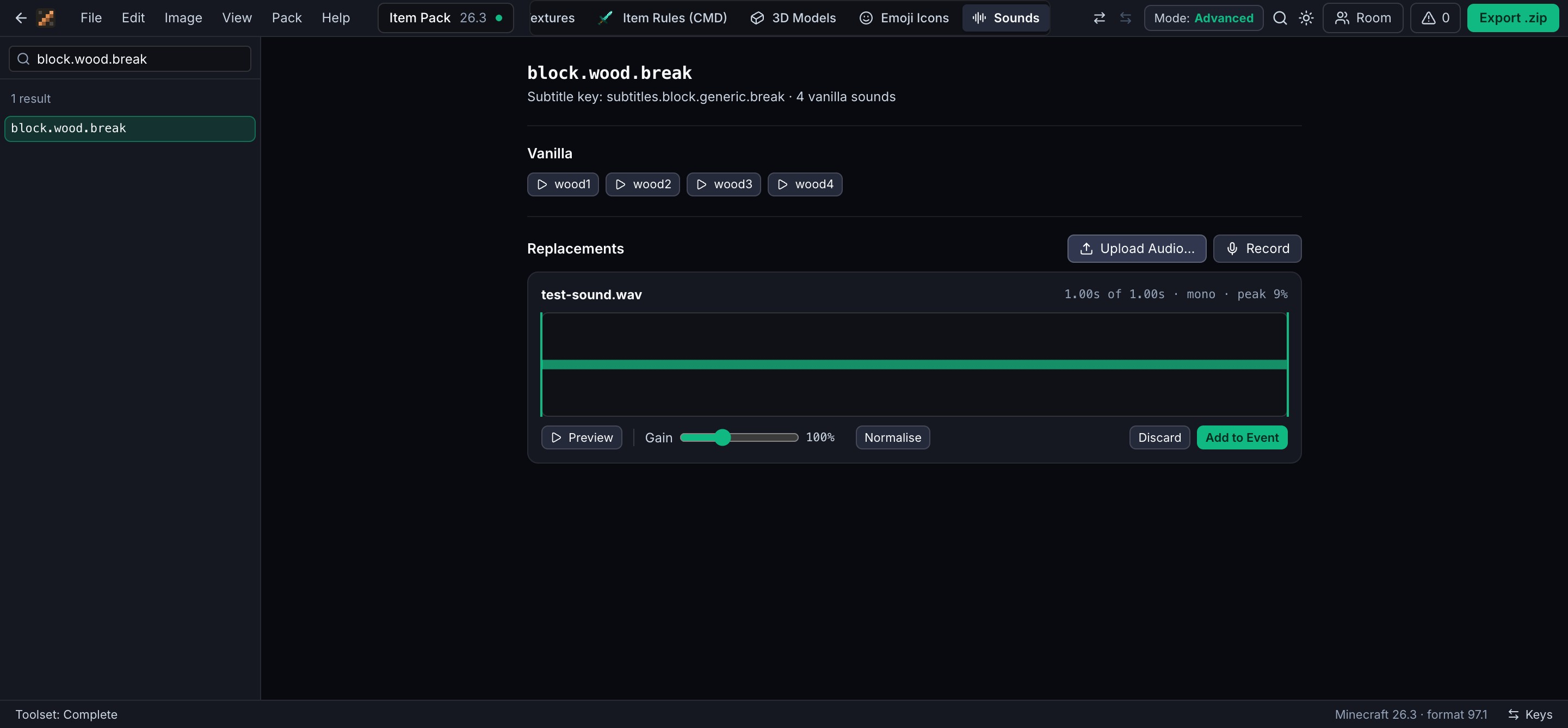
Replace any sound event with uploads or microphone recordings, trimmed in the browser and saved as Ogg Vorbis. Rename things in any of the game’s languages; only the lines you change go into the pack.

The sound page for block.wood.break with vanilla sounds, one replacement and a clip being trimmed. The language page with the iron sword renamed to Iron Longsword.

Before you export

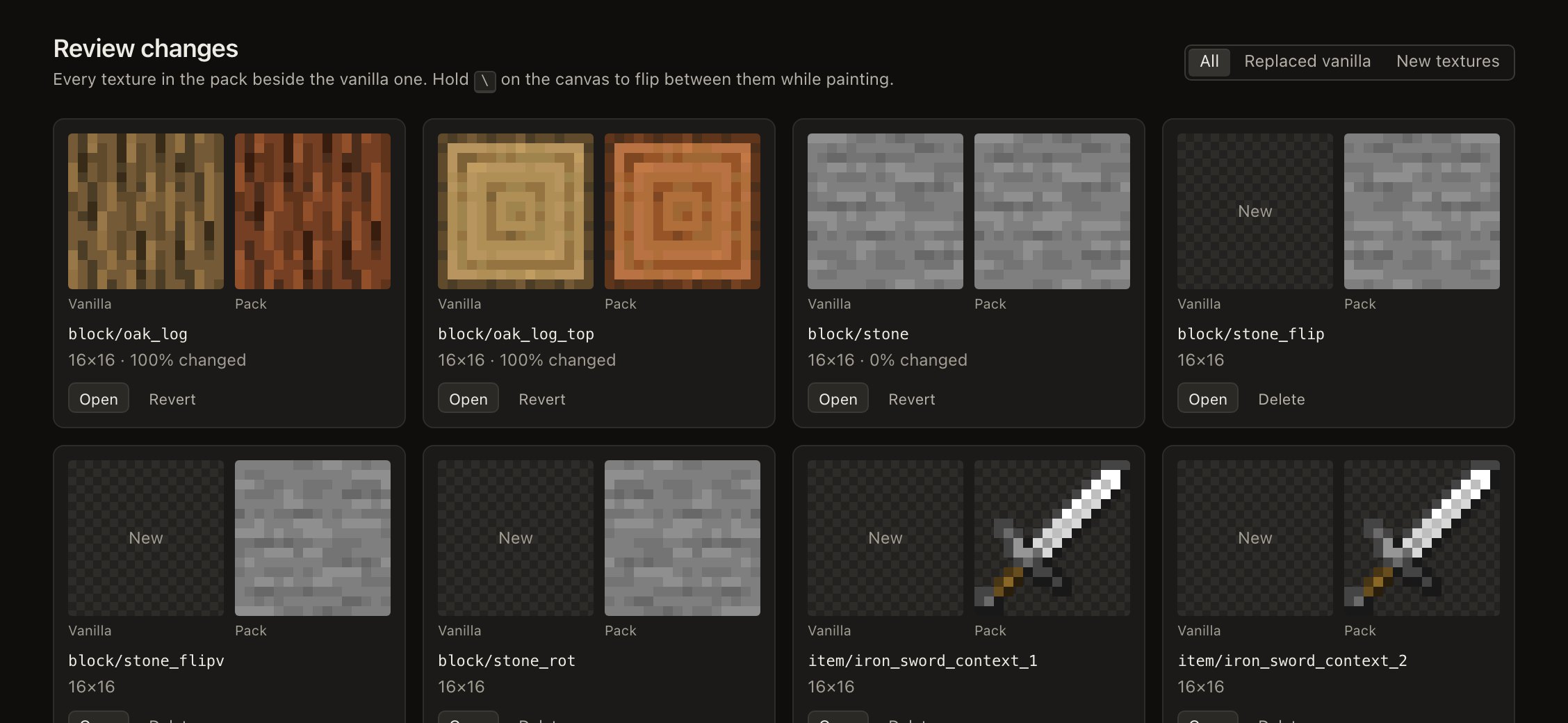
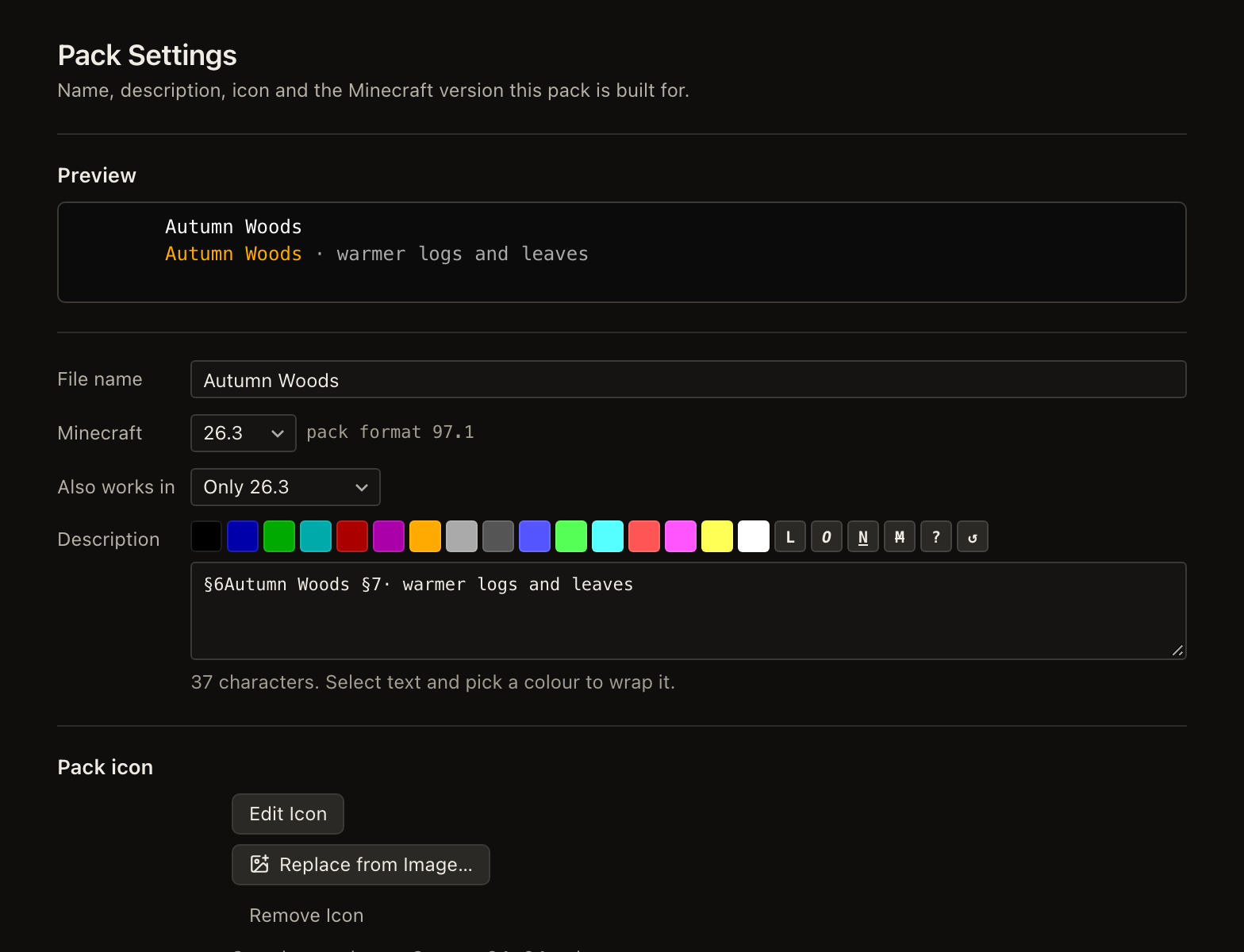
Review every changed texture beside vanilla, and fix what the problem list finds: wrong sizes, missing textures, sounds the game can’t play, rules the target version ignores. Declare a range of versions and the pack metadata is written for all of them.

The review page with pack textures shown beside their vanilla versions. Pack settings: preview, file name, target version, supported range and description with colour codes.

What the ZIP contains

Standard resource pack files that load in the game without MineTexture.

pack.mcmeta, pack.pngDescription, icon, and min_format/max_format or pack_format for your version range
textures/…Flattened layers; animations as strips with .mcmeta
blockstates/, models/block/mt/Variation, per-face textures and block models; vanilla models are never overwritten
items/, models/item/Item texture rules, 3D item models and poses
sounds.json, sounds/custom/Replaced sound events
lang/, texts/splashes.txtChanged names and splashes
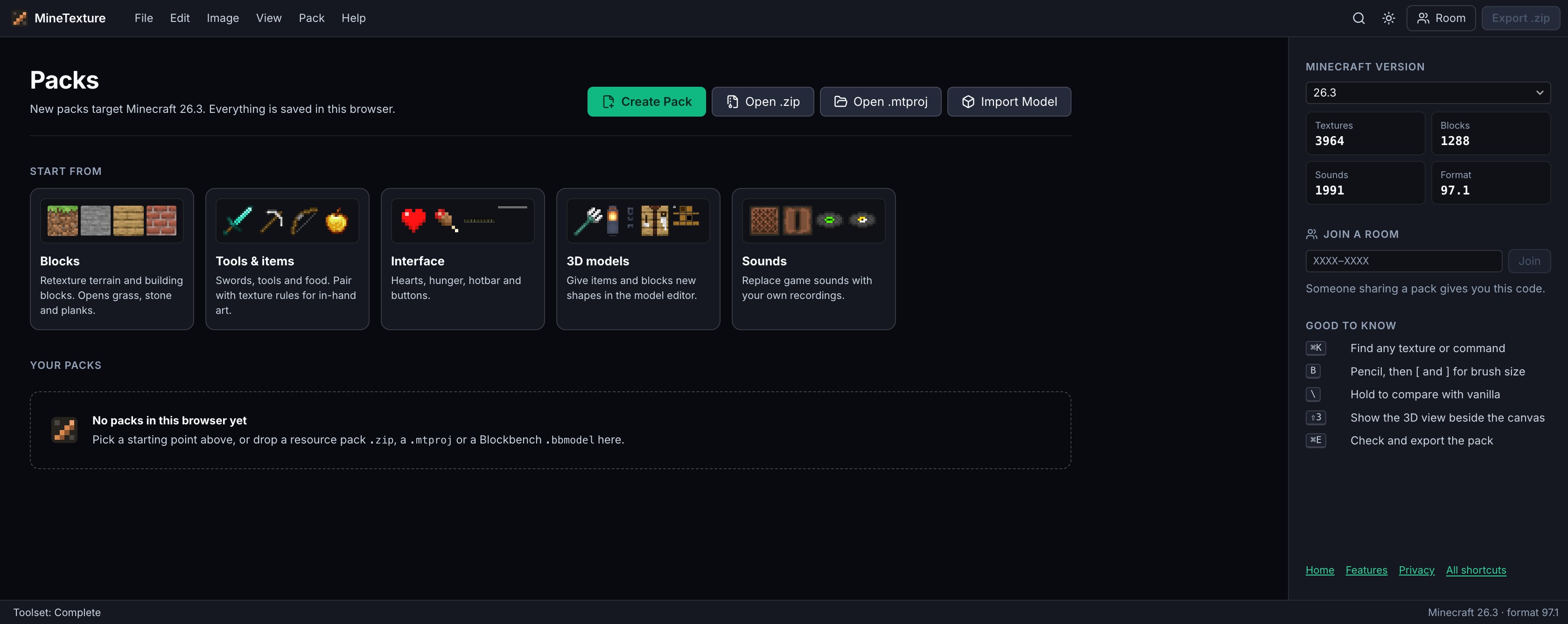
The MineTexture packs screen with Create Pack, Open .zip and Open .mtproj.

Start with an empty pack, or open one you already have.

Open Editor