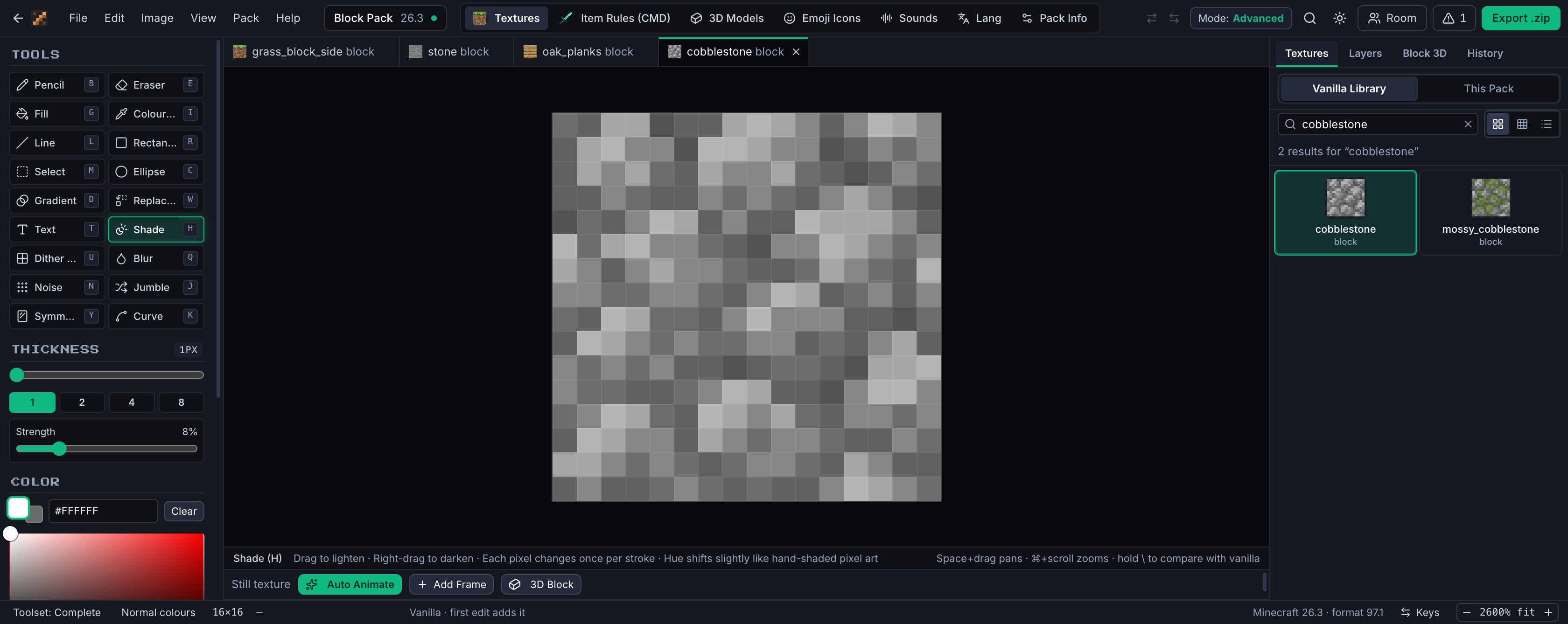
Open a block up and it's just pixels. The editor opens any texture in the game by name, so you start from the real art, not a blank square.
02 · Recolour
Recolour it in one pass.
Shift a palette and the shading stays put, so grass still reads as grass. Turning diamonds into rubies works the same way.
03 · Paint
Then touch up every pixel.
Eighteen pixel-art tools, including shading with a hue shift, dither patterns and colour replace. Fold it back up and the 3D view repaints as you draw.
04 · Layer
Put new art on its own layer.
The crystals sit on a layer above the grass, so you can move, hide or blend them without touching a single pixel underneath.
05 · Animate
Animate it without drawing a single frame.
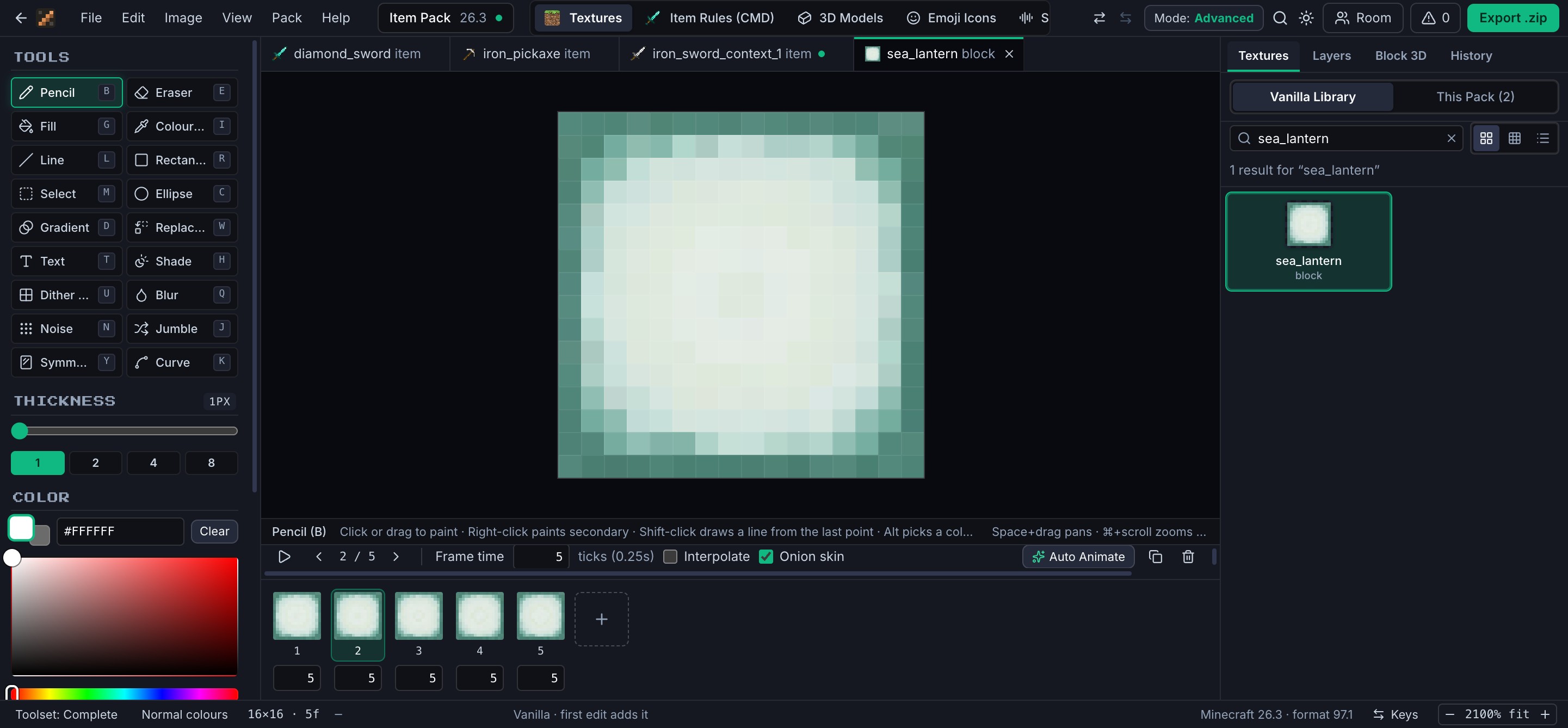
Auto Animate writes the frames for you. 62 effects, each seeded, so the same settings always make the same animation.
06 · Export
Export a pack that just loads.
One .zip with the right folders, the frame strip and its .mcmeta. Drop it in resourcepacks and switch it on.
A pocket version of the editor: one 16×16 texture on every face, and the same Auto Animate effects the full editor uses. Your drawing is kept in this browser.
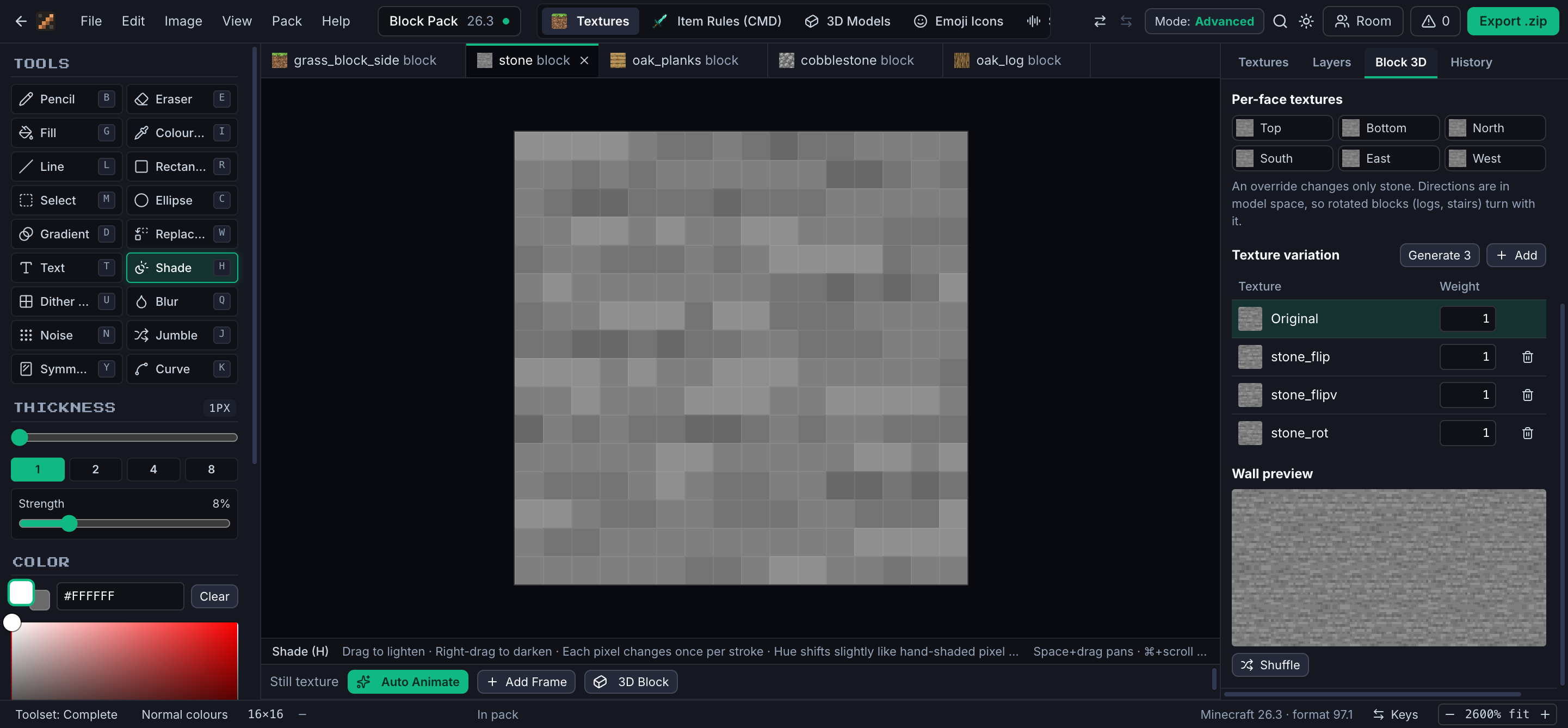
Paint, preview on the real block model, add texture variation and check it on a wall, all before you export.
minetexture · editor
Inside the editor
Every panel knows what a resource pack is.
01 / 09
Paint
18 tools made for pixel art
Shade lightens with a slight hue shift, the dither brush lays 25, 50 and 75% patterns, and colour replace keeps the shading when a diamond tool becomes a ruby one.
Animate
Frames, timing and Auto Animate
Per-frame timing, interpolation and onion skin, played back at game speed. Or let Auto Animate write the frames from 62 effects.
Blocks
Blocks as the game draws them
Give one face its own texture, add weighted variation so a wall isn't one tile repeated, and check it on a wall preview.
3D models
Models from boxes
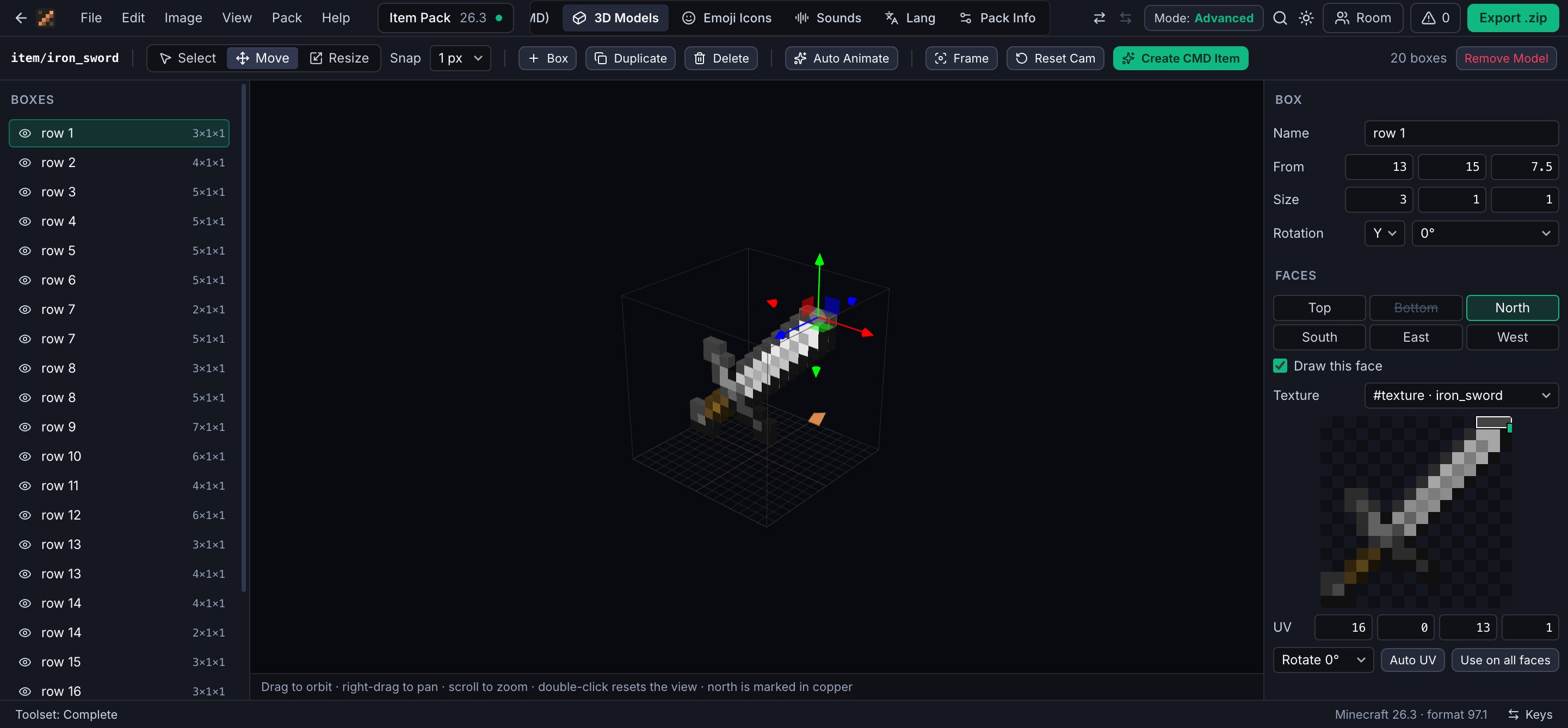
Build item and block models with move and resize gizmos, UVs and texture slots. Start from vanilla, extrude a flat texture, or import Blockbench.
Items
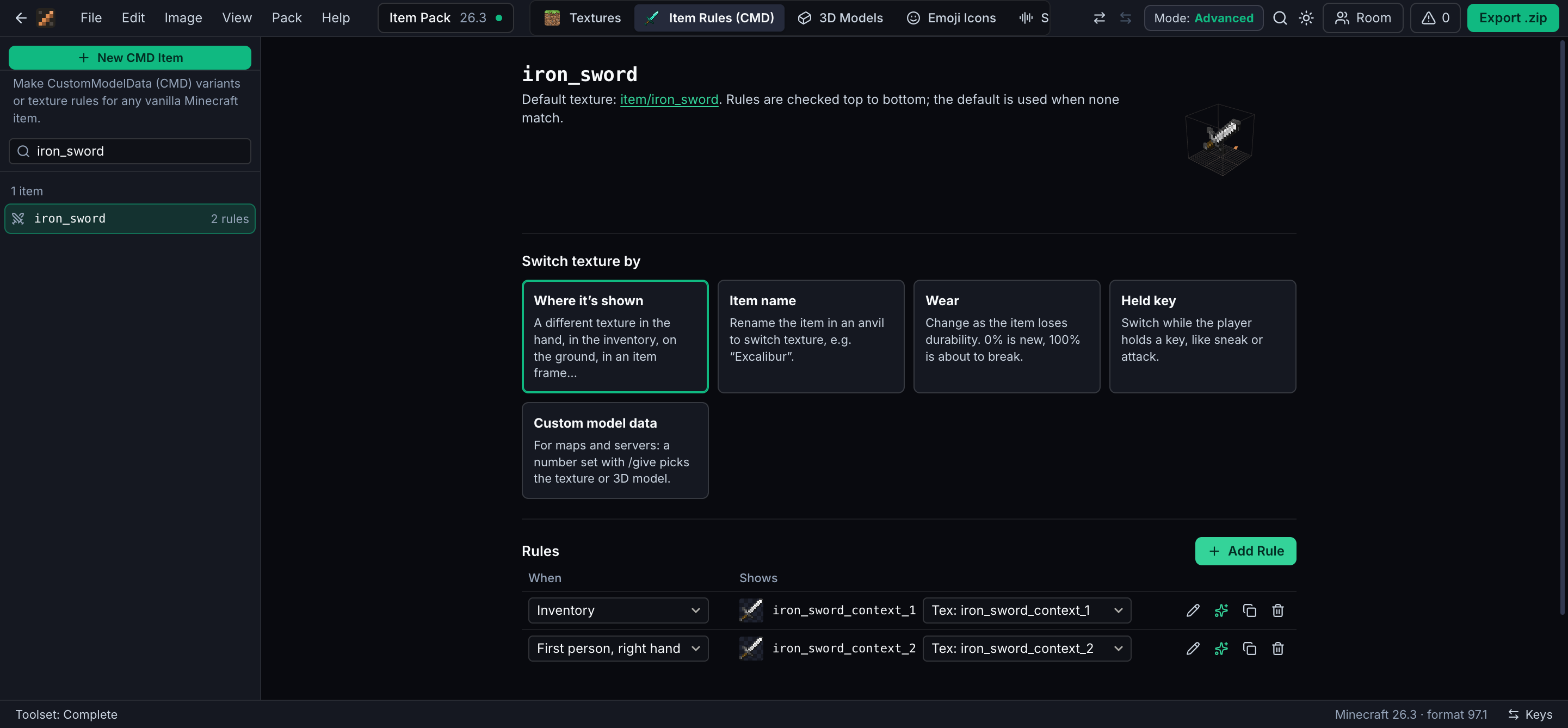
Items that change their look
A detailed sprite in the hand and a simple icon in the inventory. Switch by name, by wear, while a key is held, or with a CustomModelData number.
Sounds
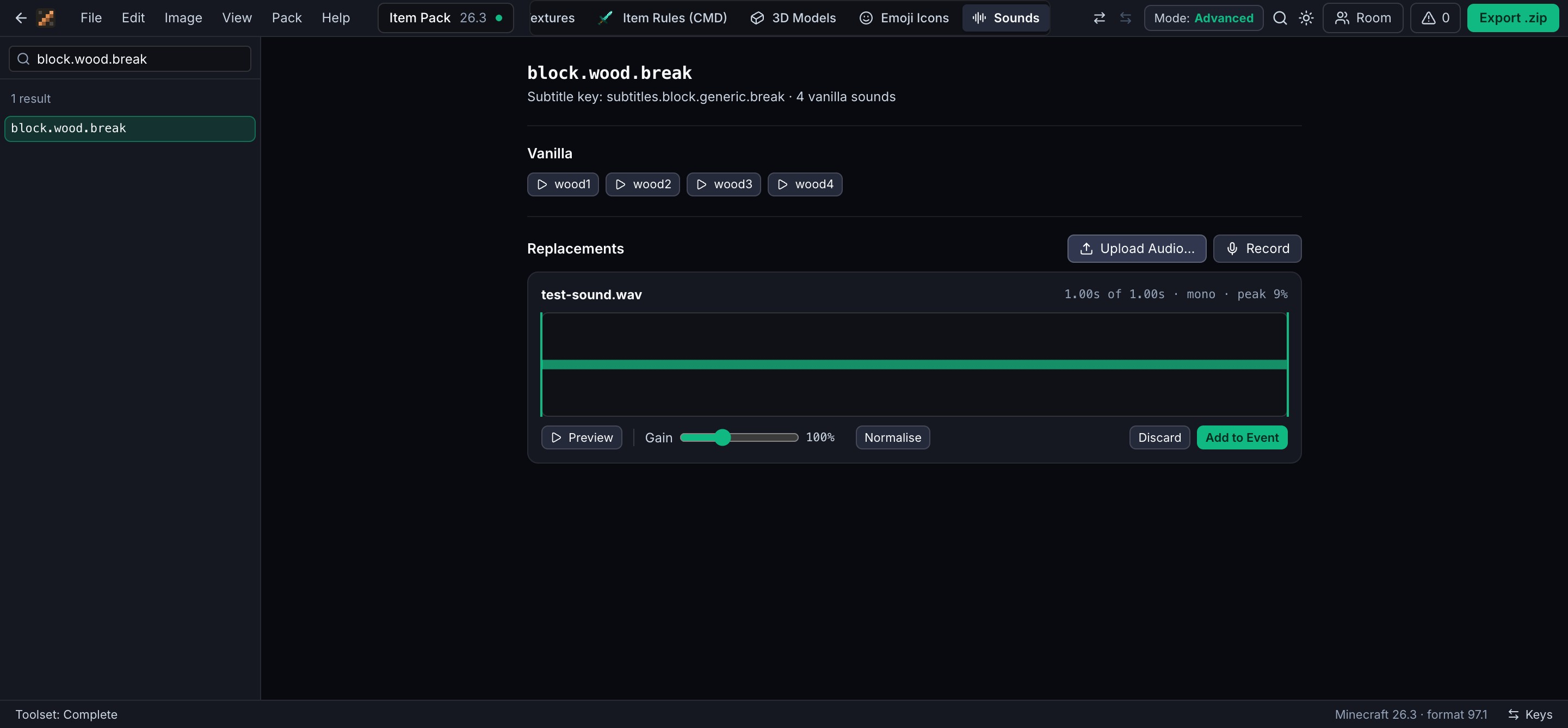
Replace any game sound
Play the vanilla sounds, then upload or record your own. Trim and set the gain in the browser; it's saved as Ogg Vorbis, the only format the game plays.
Text
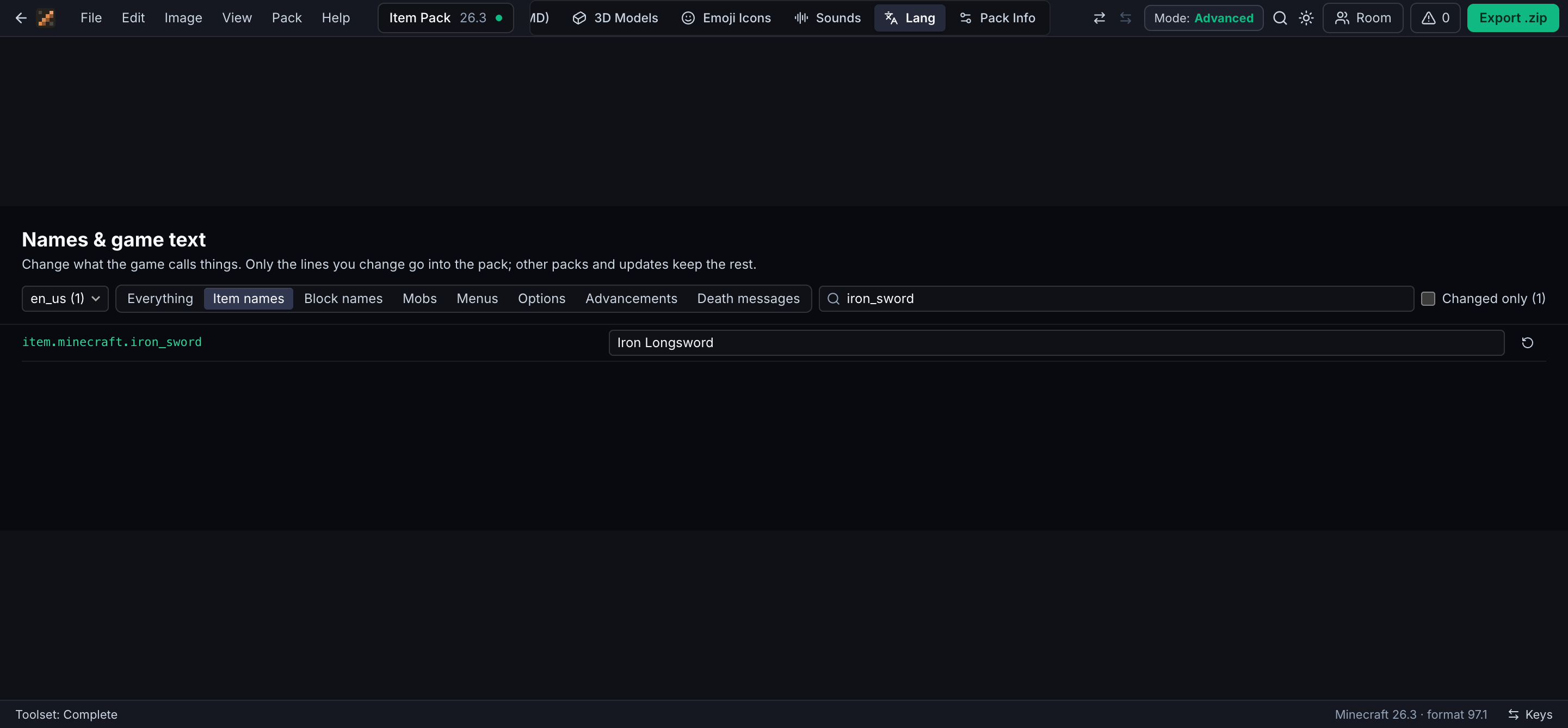
Rename anything
Items, blocks, mobs, menus and death messages, in any of the game's languages. Only the lines you change go into the pack.
Together
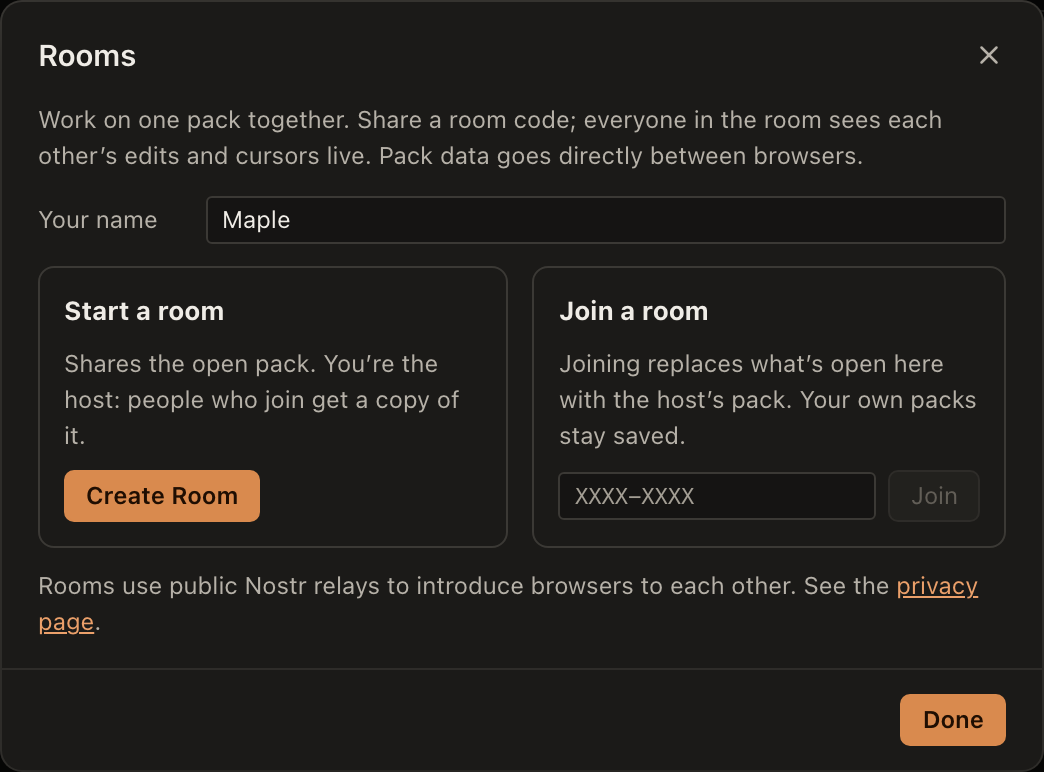
Edit with friends in a room
Share an 8-character code and everyone edits the same pack, cursors and all. The pack travels directly between browsers.
Start
Start from anything
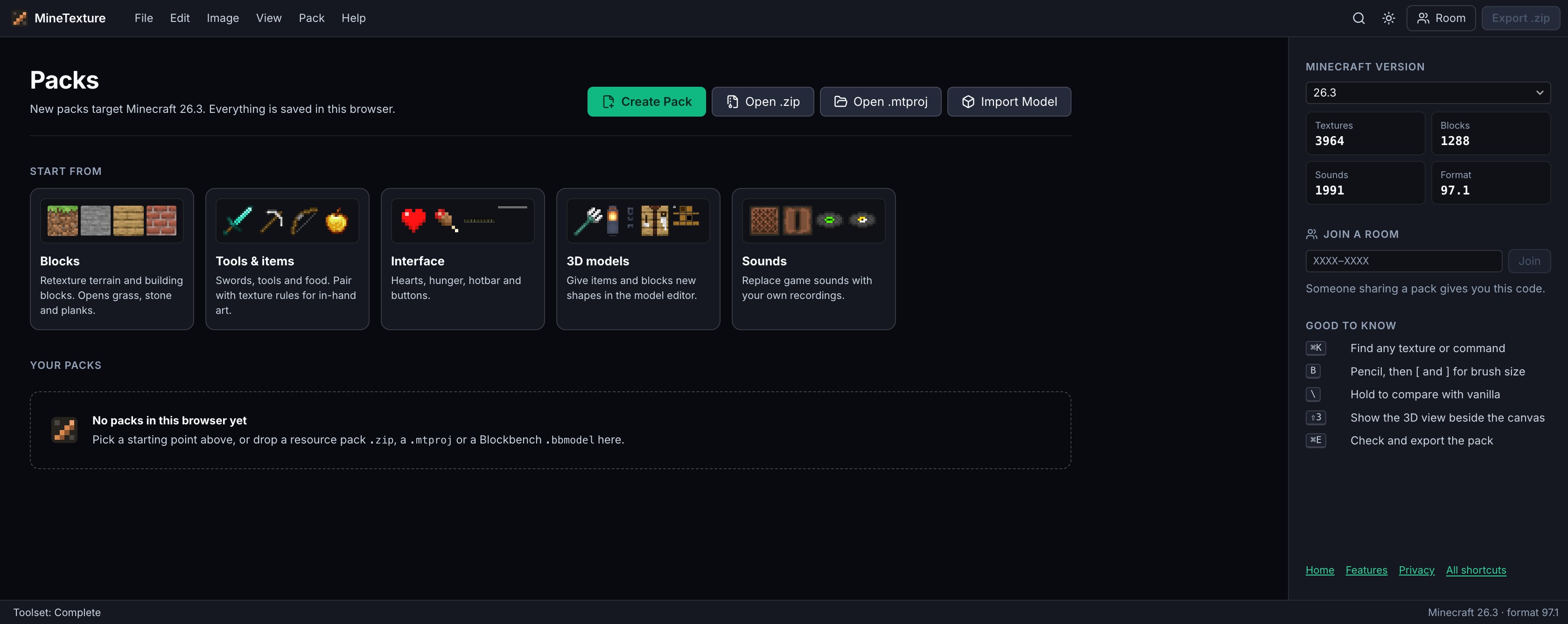
A new pack for any version, a pack you already have, a MineTexture project or a Blockbench model. It all stays saved in your browser.
62animation effects in Auto Animate
18pixel-art tools
3,964textures you can open in Minecraft 26.3
1,991sounds you can replace in 26.3
Why not just use an image editor?
Because a pack is more than PNGs.
A general image editor gets you the pixels. Everything around them is the part that usually goes wrong.
JobMineTextureGeneral image editor
Find the texture you want to changeSearch every texture by nameDig it out of the game jar
See it on the blockLive 3D view on the real modelLoad the game and look
Animate itFrame strip and .mcmeta written for youStack frames and write JSON by hand
Item variants and CustomModelDataRules you pick from a listHand-written model JSON
Custom soundsConverted to Ogg Vorbis on the spotA separate audio tool
Catch mistakes before the game doesProblem list before exportPurple-and-black squares in game
How it works
From empty folder to loaded pack.
1Pick a version
Choose the release you play. Your browser downloads that version's textures, models and sounds; nothing is bundled or re-hosted.
2Make your changes
Paint, animate, model, swap sounds, rename things. It autosaves in your browser as you go.
3Check it
Compare against vanilla and fix whatever the problem list finds, before the game rejects it.
4Export and play
Save the .zip into resourcepacks, then turn it on under Options, Resource Packs.
Questions
Good to know
Is MineTexture free?
Yes. It runs in your browser with no account, no install and no paid tier.
Which Minecraft versions does it support?
Java Edition, from 1.19 to the latest release. You pick a version when you create a pack and MineTexture loads that version's textures, models and sounds and writes the matching pack format.
Does it work with Bedrock Edition?
No. MineTexture writes Java Edition resource packs only. Bedrock uses a different pack format.
How do I put the pack in my game?
Export the .zip, move it into the resourcepacks folder of your Minecraft directory, then turn it on in Options, Resource Packs.
Can I edit a pack I already have?
Yes. Open any resource pack .zip or a MineTexture .mtproj project, or drop in a Blockbench .bbmodel to import a model.
Where are my packs stored?
In your browser's storage on your device. Nothing is uploaded unless you export it or share it in a room. MineTexture sends only anonymous usage counts, described on the privacy page.
Can I work on a pack with friends?
Yes. Start a room and share its 8-character code. Everyone in the room edits the same pack and sees each other's cursors; the pack travels directly between browsers. More about rooms.
Can it make animated textures and CustomModelData items?
Yes. Paint frames by hand or let Auto Animate generate them from 62 effects; the frame strip and its .mcmeta are written for you. Item rules switch an item's texture or model by where it is shown, its name, its wear, a held key or a custom model data number.
Ready when you are
Your pack is one tab away.
No download, no account. Pick a version and start painting.